Factorio: How to Set Up a Server
Table of Contents
Factorio server hosting on HardGaming turns a plan and a few settings into a running, joinable factory world. This guide covers choosing a plan, naming your server, configuring your save and token, paying, and confirming the server started.
Before You Start
- A HardGaming account. Create one at hardgaming.tech before you start. You can look at plans without signing in, but choosing one requires an account.
- PC and Switch can both join. Every PC release, whether from Steam, GOG or the standalone factorio.com client, connects the same way. Switch needs Nintendo Switch Online for online play, and it only connects when it runs the same Factorio version as your server.
- Nothing to install. Every step happens in your browser. The server files download and unpack for you.
- Your save settings are not final. Save name, token and the rest are set during checkout, and the save is generated the first time the server starts.
Step 1: Open the HardGaming Website
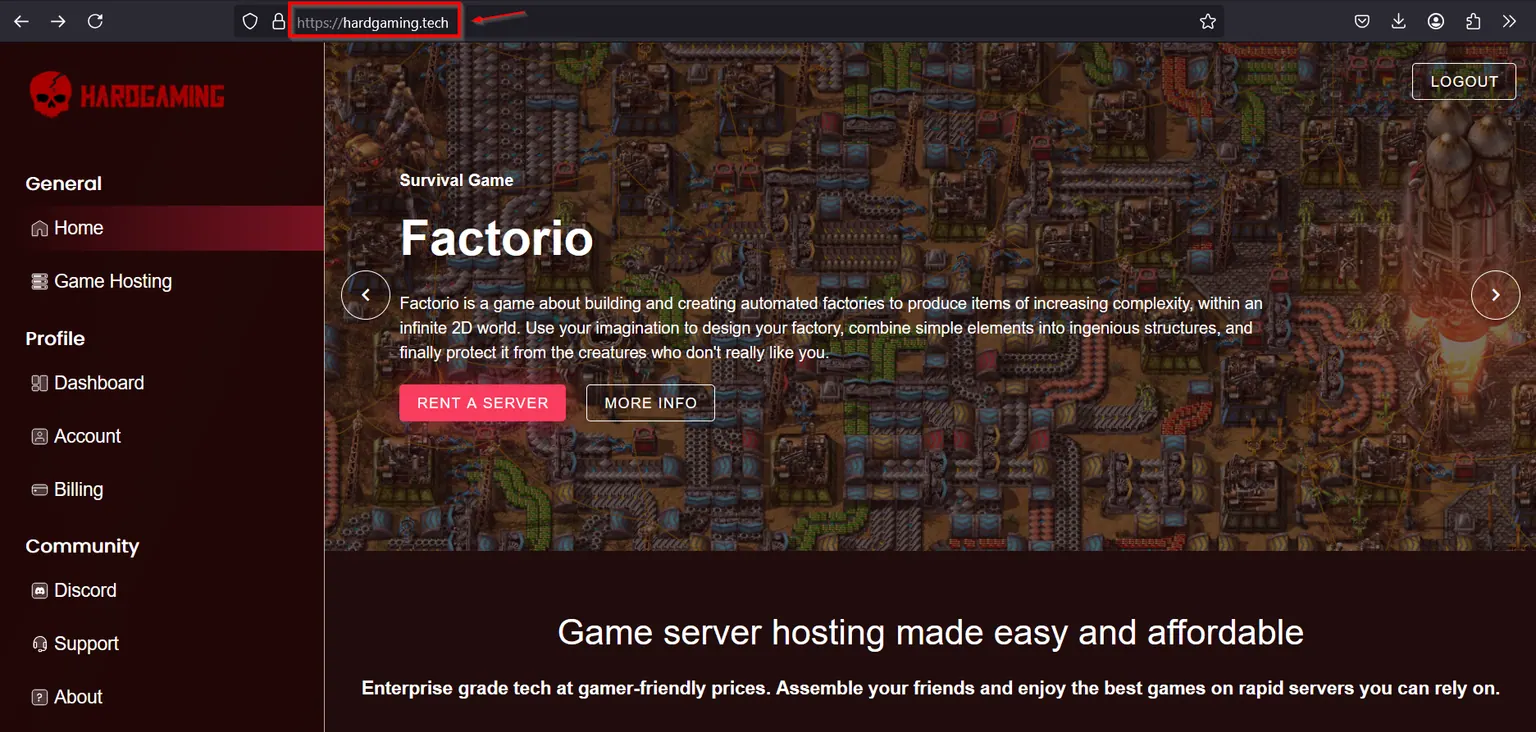
Go to hardgaming.tech and sign in. If you would rather skip the browsing, go straight to Factorio server hosting and continue from Step 4.
Step 2: Select Game Hosting
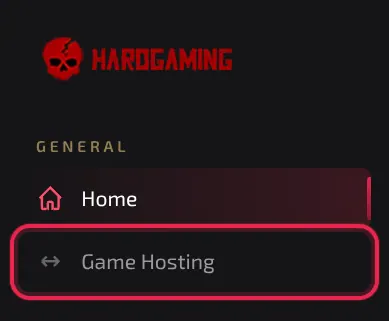
In the sidebar on the left, click Game Hosting.
Step 3: Select the Factorio Tile
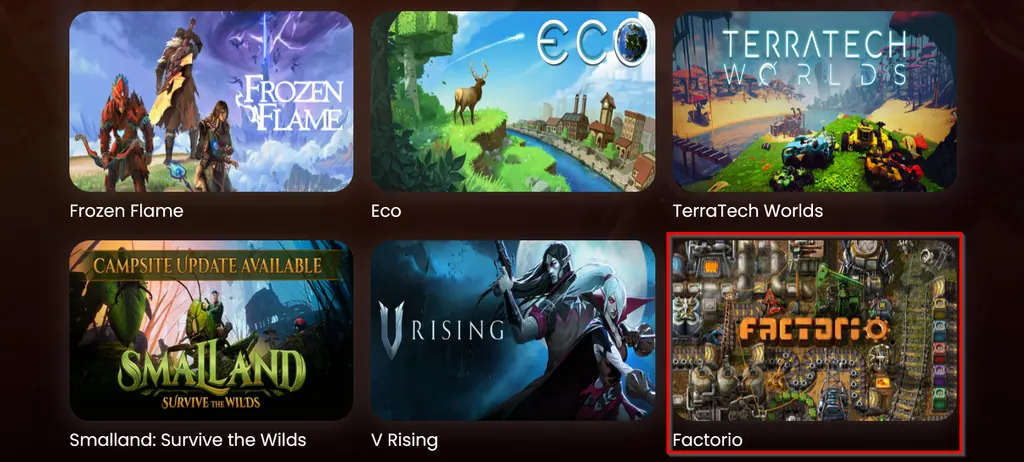
The grid lists every game HardGaming hosts. Click the Factorio tile.
Step 4: Choose a Plan
Three tiers are offered on the Plans tab.
- Starter, for solo play.
- Premium, for playing with a team.
- Custom, for choosing your own resources and price on the Custom Plan tab.
Click Choose Plan on the tier you want.
Step 5: Name Your Server
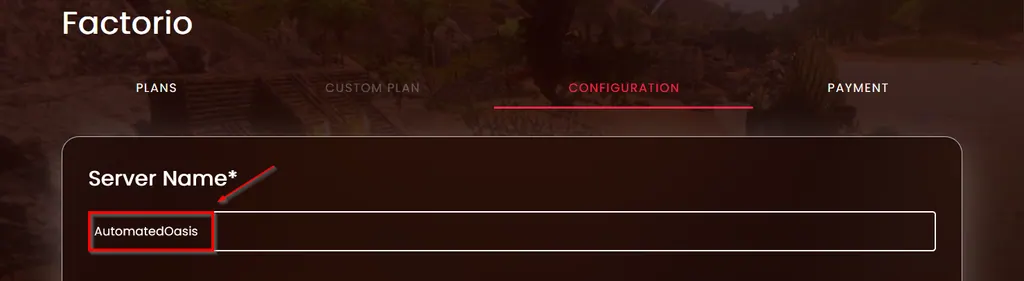
Type a name into Server Name. It is the only required field on the Configuration step, and it is the name you will see in your dashboard.
Step 6: Configure Your Server Settings
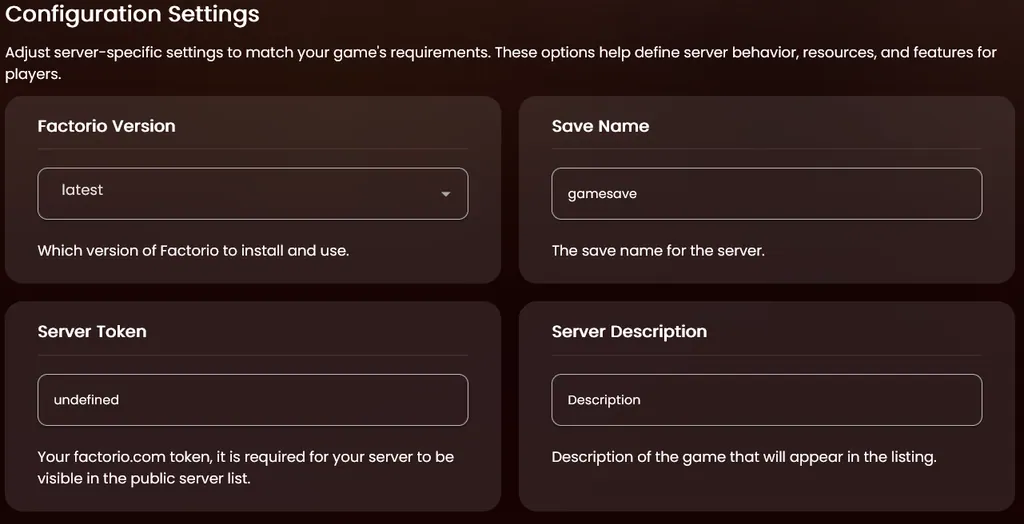
The Configuration step also holds eight settings, split across two panels below Server Name. Every one has a working default, so you can change only what matters and move on.
Two are worth setting now. Factorio Version controls which version installs, and it needs to match your Switch or older PC clients if your group has not all updated. Server Token takes your factorio.com token and lists the server publicly once it is set. See Do I Need a Factorio.com Account for My Server? below.
The full list, and how to move on to Payment, is in Factorio Server Settings below.
Step 7: Enter Your Payment Details
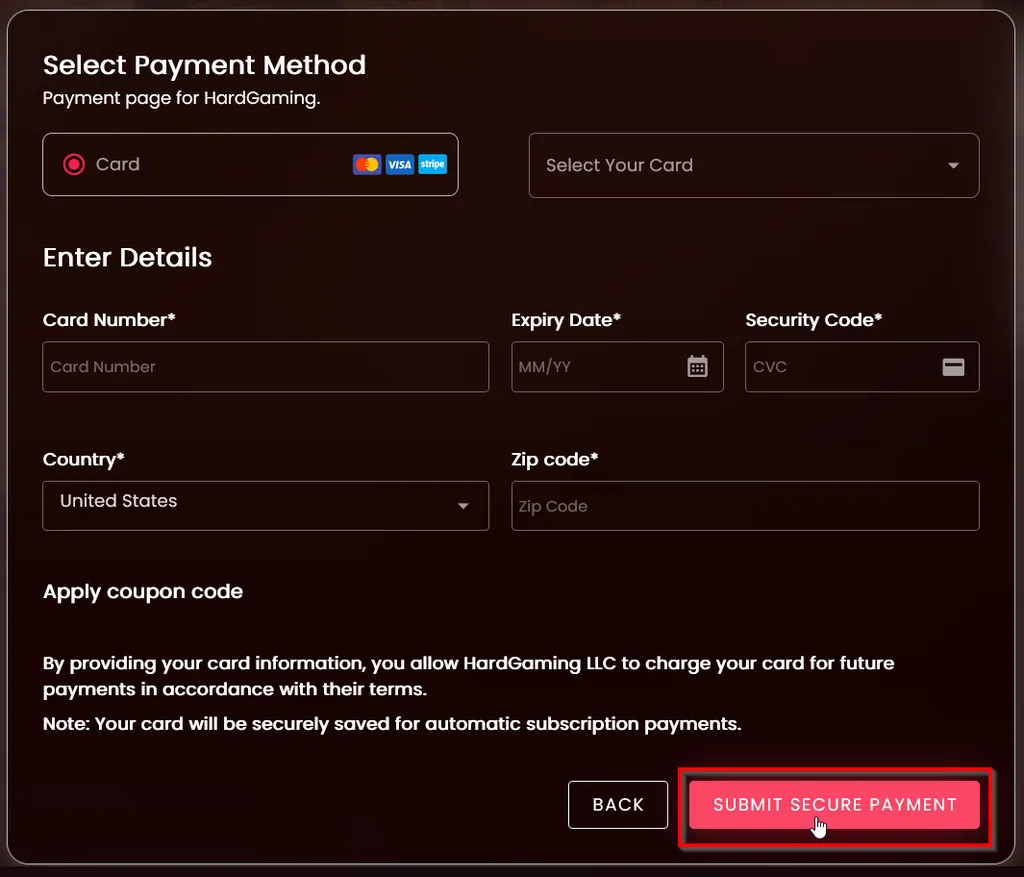
Leave Select Your Card as it is to pay with a new card, or pick a card you have used before. Fill in Card Number, Expiry Date, Security Code, Country and Zip code, then click Submit Secure Payment.
Warning: Your card is saved and charged every month until you cancel the server from your Billing page.
Step 8: Confirm Your Server Is Running
Payment takes you straight to your new server. The Console tab streams the install while Factorio downloads and unpacks, and the other tabs unlock as it finishes.
Watch STATUS on the right. It reads offline while the install runs, then running once the server is up. CONNECT ADDRESS holds the FQDN and IP your friends need.
Do I Need a Factorio.com Account for My Server?
Only if you want it listed in Factorio's public server browser. Server Token on the Configuration step takes a token from your factorio.com account, and setting it is what makes your server public. Leave it empty and the server still runs. Friends can still connect directly with the address from your server page. They will not find it by browsing.
Find your token by signing in at factorio.com and opening your profile. Token sits next to your account there, hidden until you click Reveal. It is a long string of characters tied to your account, so keep it as private as any other credential.
Factorio Server Settings
Every setting on the Configuration step, with the default it ships with.
| Setting | What it does | Default |
|---|---|---|
| Factorio Version | Which version of Factorio to install and use | latest |
| Save Name | The save name for the server | gamesave |
| Server Token | Your factorio.com token. Required for the server to appear in the public server list | empty |
| Server Description | The description players see for your server in the public listing | empty |
| Server Username | The username used for the server | unnamed |
| Auto Save Interval | Minutes between each auto save | 10 |
| Auto Save Slots | The number of auto saves to keep | 5 |
| AFK Kick | Minutes before an AFK player is kicked. 0 turns it off | 0 |
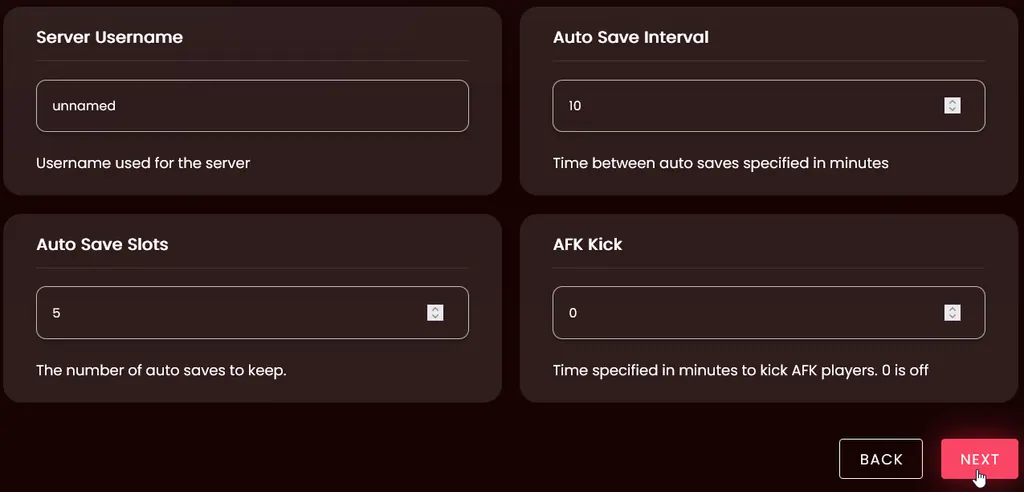
Click Next once everything looks right. It moves you to the Payment tab.
Applying a Coupon Code
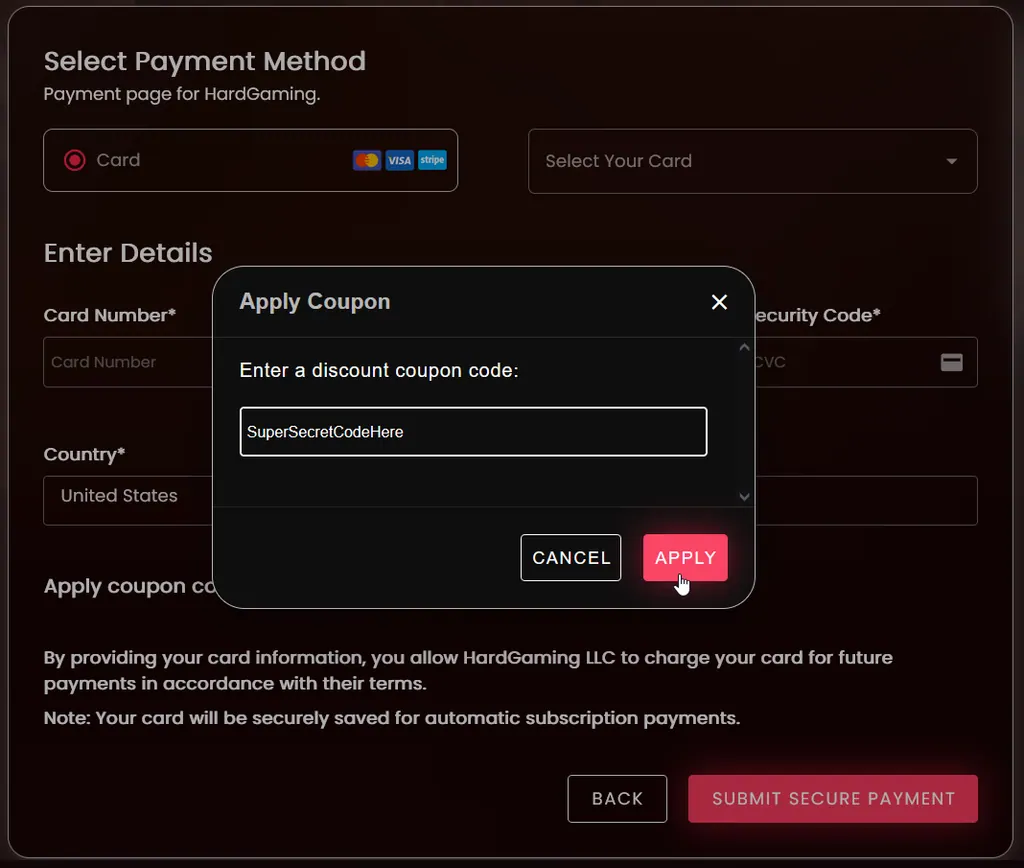
If you have a coupon, apply it before you pay. On the Payment tab, click Apply coupon code, type your code, and click Apply. The discount appears in the payment summary.
Troubleshooting
Next won't move you to Payment?
- Server Name is empty. It carries the only asterisk on this step, so scroll back to the top of the page to fill it in.
Server still shows offline after paying?
- It is still installing. The Console tab prints the download and unpack running line by line.
- Wait for the console to show the server has started. STATUS changes to
runningat the same time.
Friends cannot join?
- Check STATUS reads
running. An installing or offline server refuses connections. - Give them the address from CONNECT ADDRESS on your server page.
- On mismatched Factorio versions, a Switch and a PC cannot join the same server until both match its version.
Server missing from the public server list?
- Confirm Server Token on the Configuration step holds a valid token from your factorio.com account. An empty or wrong token keeps the server off the public list.
- The server still takes direct connections at its address without a token. Public listing only changes whether strangers can find it by browsing.
Best Practices
- Set Server Token before your first launch if you want strangers to find you through the public list, not only friends with the address.
- Match Factorio Version to your oldest Switch or PC client rather than the newest release, until everyone in your group has updated.
- Raise Auto Save Slots above the default of five once your factory grows large. More slots mean more points to roll back to.
- Keep Auto Save Interval short while you are still building, then lengthen it once the base is stable.
Next Steps
Your server now appears under My Servers on your dashboard, and it stays there between sessions. Open it any time to restart it, edit settings, or pull a backup.
- Protect your save with DeepSave
- Browse all Factorio guides
- Guides for every game we host
- Factorio server hosting
Need Help?
If you run into any issues, the HardGaming support team is here for you:
- Live Chat: use the chat widget on hardgaming.tech
- Discord: join our community for quick help
- Email: support@hardgaming.tech
Happy gaming! 🎮