Abiotic Factor: How to Set Up a Server
Table of Contents
Abiotic Factor server hosting on HardGaming starts at $4 a month, and the path from picking a plan to a running facility takes about ten minutes. This guide covers choosing a plan, naming your server, setting Full Control options, paying, and confirming the server came up.
Before You Start
- A HardGaming account. Create one at hardgaming.tech first. You need to be signed in to complete checkout.
- A payment method. Your card is entered at the last step and saved for the monthly subscription.
- PC. These steps and the server they create are scoped to the PC client. Abiotic Factor also released on PlayStation 5 and Xbox Series X and S.
- Nothing to install. Every step happens in your browser. The server files are downloaded and unpacked for you.
- Your server needs a password. Server Password is required, and checkout will not proceed until you set one. It sits under Full Control, not the default Quick Setup view, where readers commonly miss it.
Step 1: Open the HardGaming Website
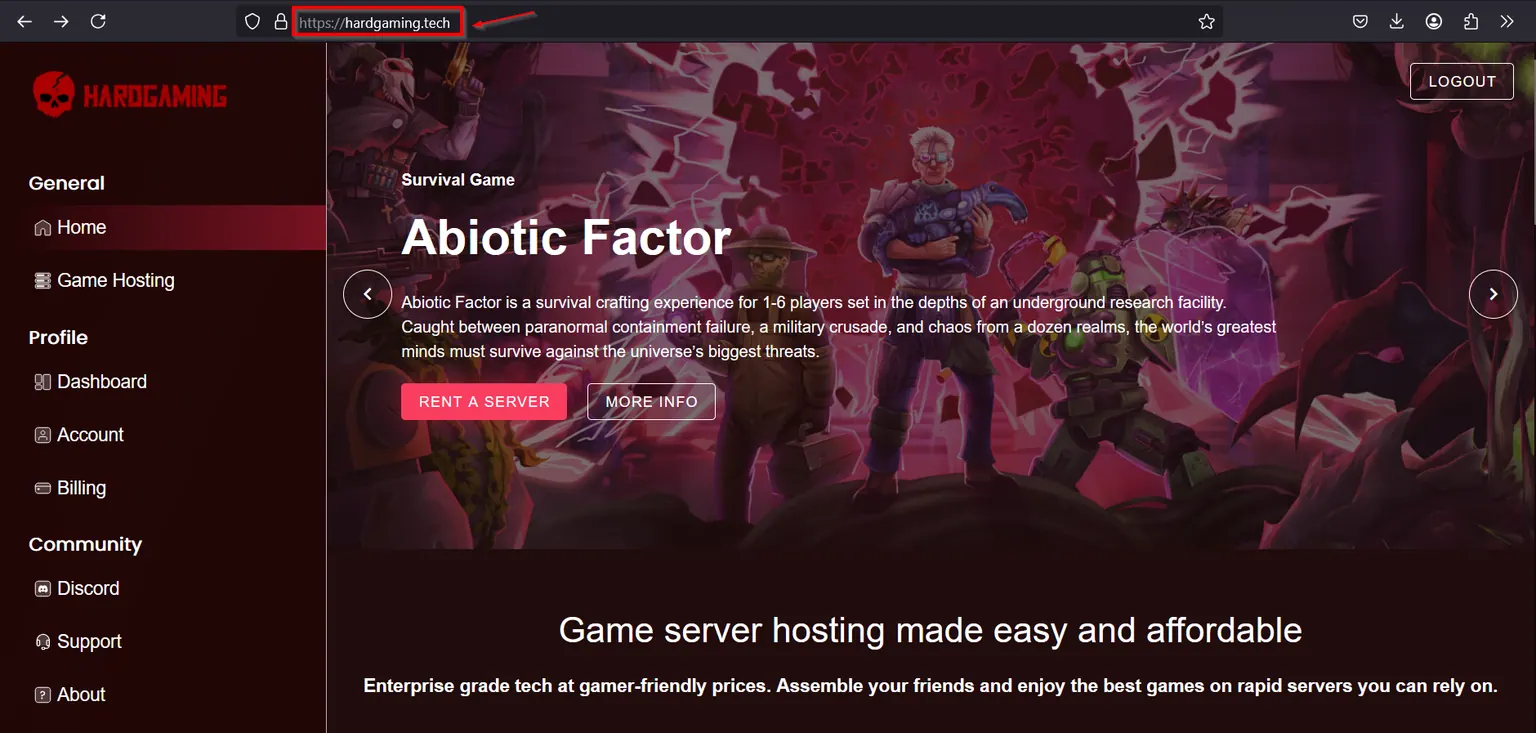
Go to hardgaming.tech and sign in. If you would rather skip the browsing, go straight to Abiotic Factor server hosting and continue from Step 4.
Step 2: Select Game Hosting
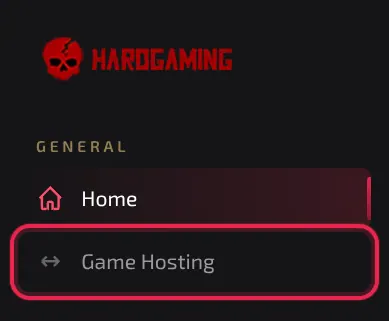
In the sidebar on the left, click Game Hosting.
Step 3: Select the Abiotic Factor Tile
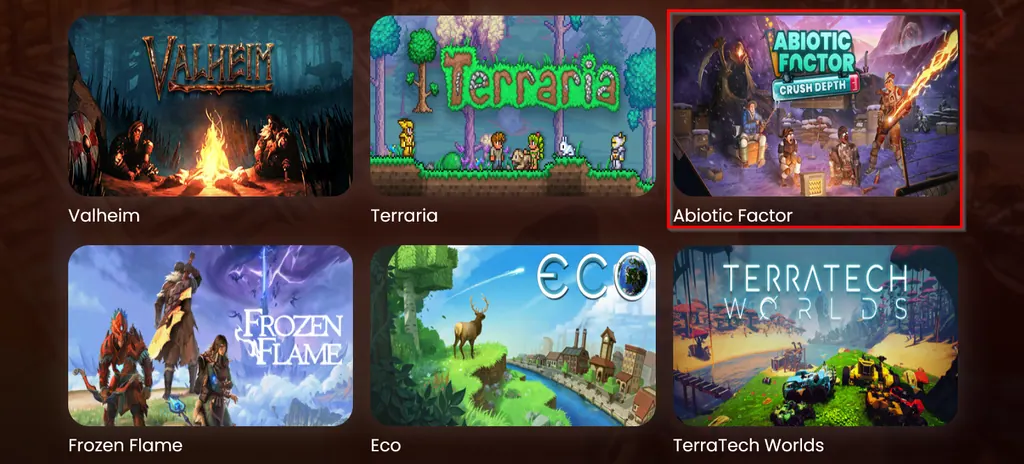
The grid lists every game HardGaming hosts. Click the Abiotic Factor tile.
Step 4: Choose a Plan
Three presets are offered, and Premium is selected for you. Click the one you want.
- Starter, $4 a month, includes 4GB of RAM. Enough for a small group exploring together.
- Premium, $7 a month, includes 7GB of RAM. More headroom for a full team.
- Custom, from $4 a month, lets you pick RAM, storage and backup slots yourself.
No plan limits how many players can join. That is set by Number of Players in Step 9.
Step 5: Adjust Memory and Storage
The preset is a starting point, and this whole section is optional. Drag Memory (RAM) to change how much memory your server gets, at $1 per GB. Abiotic Factor needs at least 4GB.
Extra Storage adds to the 20GB that every plan includes, and every plan also includes three backup slots.
Every plan also includes one DeepSave slot, which keeps a backup in your account even after the server is deleted. Our DeepSave guide covers how to use it.
Step 6: Check the Price and Continue
Price Summary on the right updates as you customize your server, so the total there is what you will be charged each month. When it reads what you expect, click Continue to Configuration.
Step 7: Turn On Full Control
The Configuration step opens on Quick Setup, which shows 0 key settings for Abiotic Factor. Click Full Control to reveal the real fields, including the password checkout requires.
Note: Every field on this page, including Server Name, sits under Full Control. Staying on Quick Setup leaves the page looking empty.
Step 8: Name Your Server
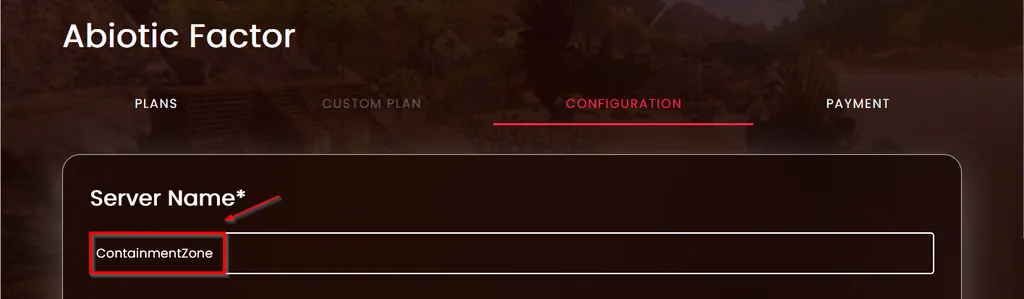
Type a name into Server Name. It is marked required, and it is the name you will see once your server is running.
Step 9: Set Your Server Options
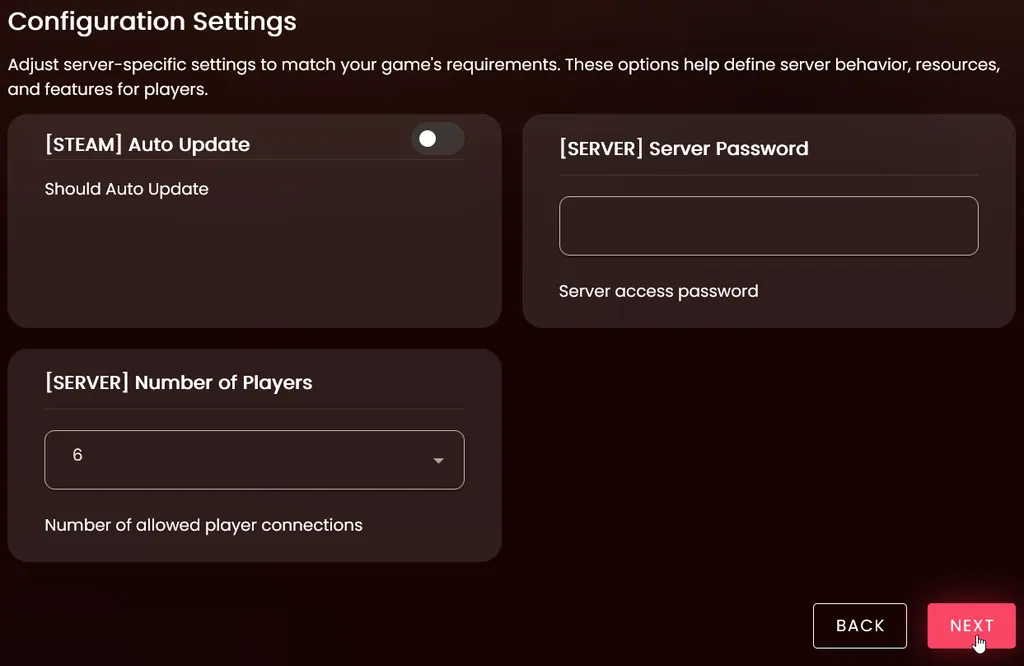
Full Control now shows four fields in two groups. Under STEAM, toggle Auto Update if you want the server to update itself on restart. Under SERVER, set Server Password and Number of Players, which defaults to 6.
Server Password is required. Checkout will not proceed until you set one, and it is the password everyone needs to join.
Step 10: Continue to Payment
Review your choices, then click Continue to Payment. The step will not advance while a required field is empty, and its message reads Please fill all required fields. An empty Server Password is the most common cause.
Step 11: Enter Your Payment Details
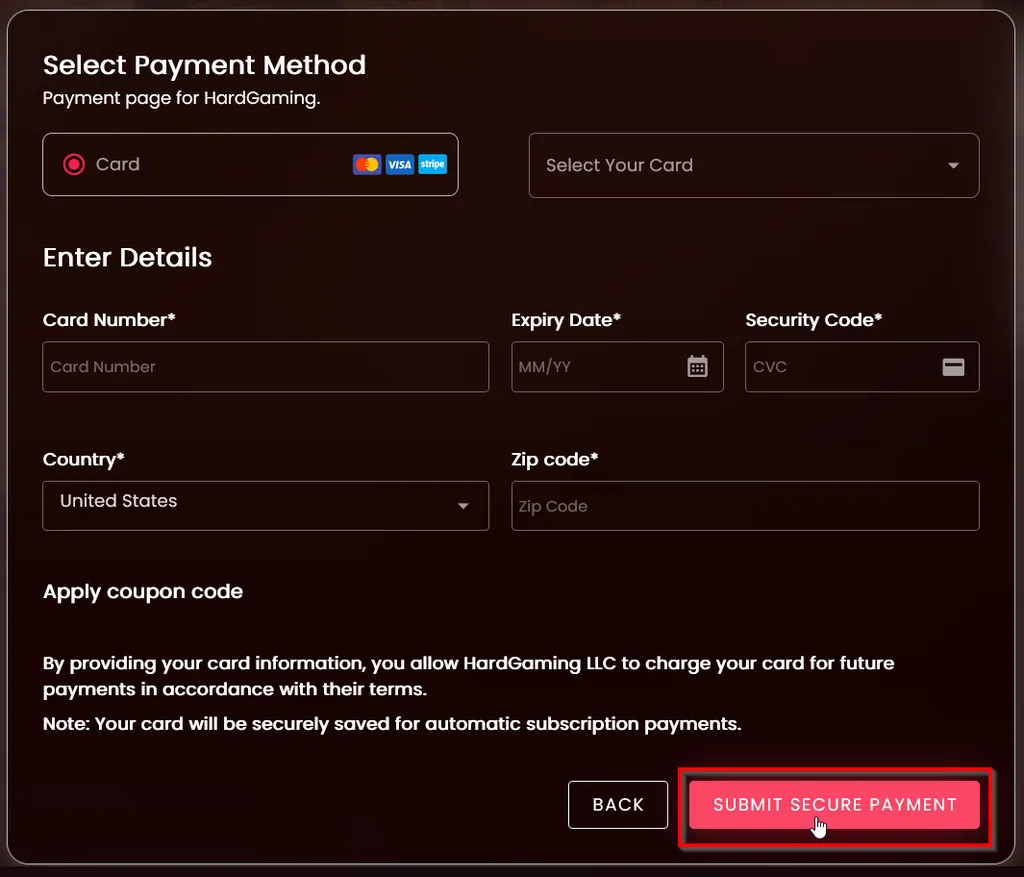
Leave Select Your Card on Enter a new card, or pick a card you have used before. Fill in Card Number, Expiry Date, Security Code, Country and Zip code, then click Submit Secure Payment.
Warning: Your card is saved and charged every month until you cancel the server from your Billing page.
Step 12: Confirm Your Server Is Running
Payment takes you straight to your new server. Your server page has seven tabs: Console, Files, Startup, Config, Backup, Schedules and Advanced. The Console tab streams the install while it pulls roughly 3.75GB of game files.
Watch STATUS in the corner. It reads offline while the install runs, then running once your facility is up. CONNECT ADDRESS holds the FQDN and IP your friends need, and the Advanced tab lists your GAME PORT and QUERY_PORT if you need them, covered in full in our connect guide.
How Much RAM Does an Abiotic Factor Server Need?
4GB is the minimum HardGaming allows for Abiotic Factor, and that is exactly what Starter includes. Premium includes 7GB for $3 more a month.
No plan caps your player count, so memory is what you scale as your facility fills up. Resource upgrades are available later from your Billing page.
Applying a Coupon Code
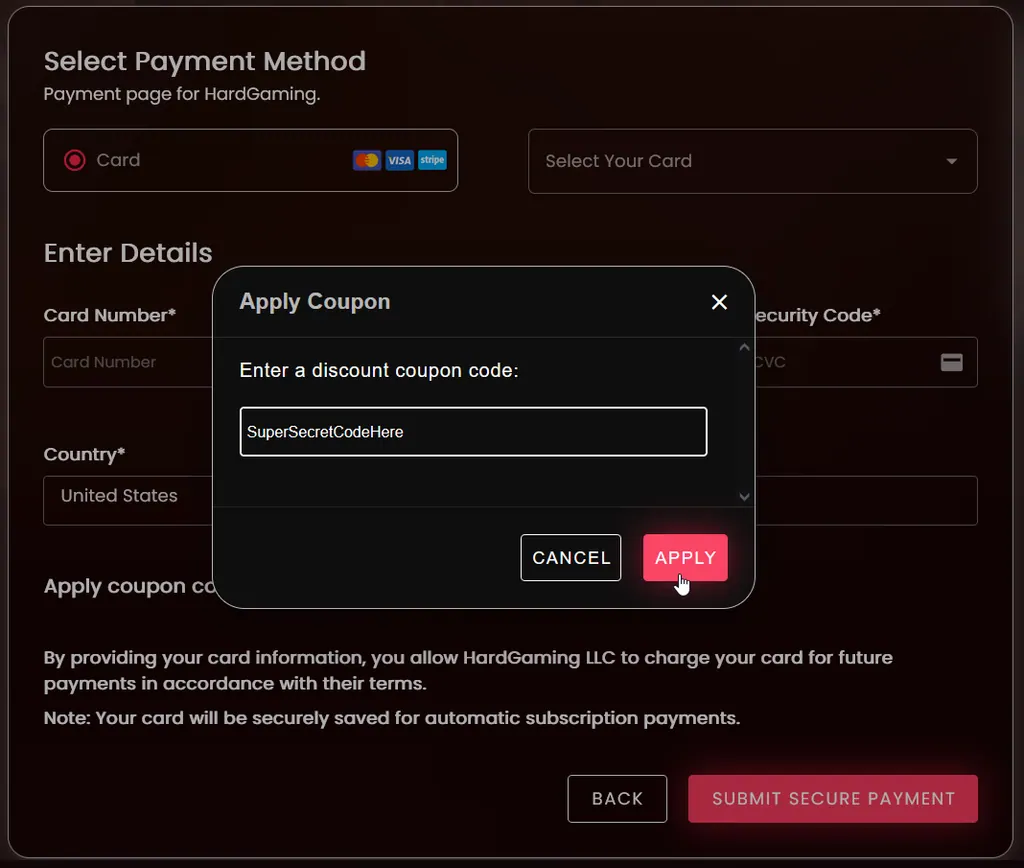
If you have a coupon, apply it before you pay. On the payment page, click Apply coupon code, type your code, and click Apply. The discount appears in Summary on the right.
Troubleshooting
Continue to Payment will not proceed?
- Server Password is empty. It is required, and it sits under Full Control, not the default Quick Setup view.
- Scroll back to the Configuration step and switch to Full Control to find it.
Server still shows offline after paying?
- It is still installing. The Console tab shows the roughly 3.75GB download running line by line.
- Wait for STATUS to change to
runningbefore connecting.
Friends cannot join your server?
- Check STATUS reads
running. An offline or installing server refuses connections. - Give them the Server Password you set in Step 9. Every HardGaming Abiotic Factor server requires one.
- Confirm they are using the right port. Our connect guide covers the game port and the query port.
Best Practices
- Write down Server Password somewhere safe. Every friend needs it to join, since Abiotic Factor has no separate invite system.
- Leave Auto Update alone until your facility is stable, then change one setting at a time.
- Keep your three included backup slots in use, and save your DeepSave slot for before a big change.
- Start on Premium if you are hosting a full team. Abiotic Factor supports up to six players, matching the Number of Players default.
Next Steps
Your server now appears under My Servers on your dashboard, and it stays there between sessions. Browse more Abiotic Factor guides any time, or jump to:
- Connect to your Abiotic Factor server
- Manage admins and bans on your server
- Enable DLC content on your server
- Abiotic Factor server hosting
Need Help?
If you run into any issues, the HardGaming support team is here for you:
- Live Chat: use the chat widget on hardgaming.tech
- Discord: join our community for quick help
- Email: support@hardgaming.tech
Happy gaming! 🎮