ARK: How to Set Up a Server
Table of Contents
ARK Survival Evolved server hosting on HardGaming gets your tribe a private world, with the map, mods and passwords under your control. This guide covers choosing a plan, naming your server, setting your map and passwords, paying, and confirming the server came online.
Before You Start
- A HardGaming account. Create one at hardgaming.tech first. You need to be signed in before you can configure a server.
- A payment method. Your card is entered at the payment step and saved for the monthly subscription.
- PC by default. HardGaming runs ARK Survival Evolved as a PC dedicated server. Add the crossplay flag in Step 7 to let Xbox players join too. PlayStation, Switch and mobile versions of ARK cannot connect to it either way.
- Nothing to install. Every step happens in your browser. The server files are downloaded and unpacked for you.
- Your configuration is not final. Passwords, map and mods are all set during checkout, and every one of them can change later.
Step 1: Open the HardGaming Website
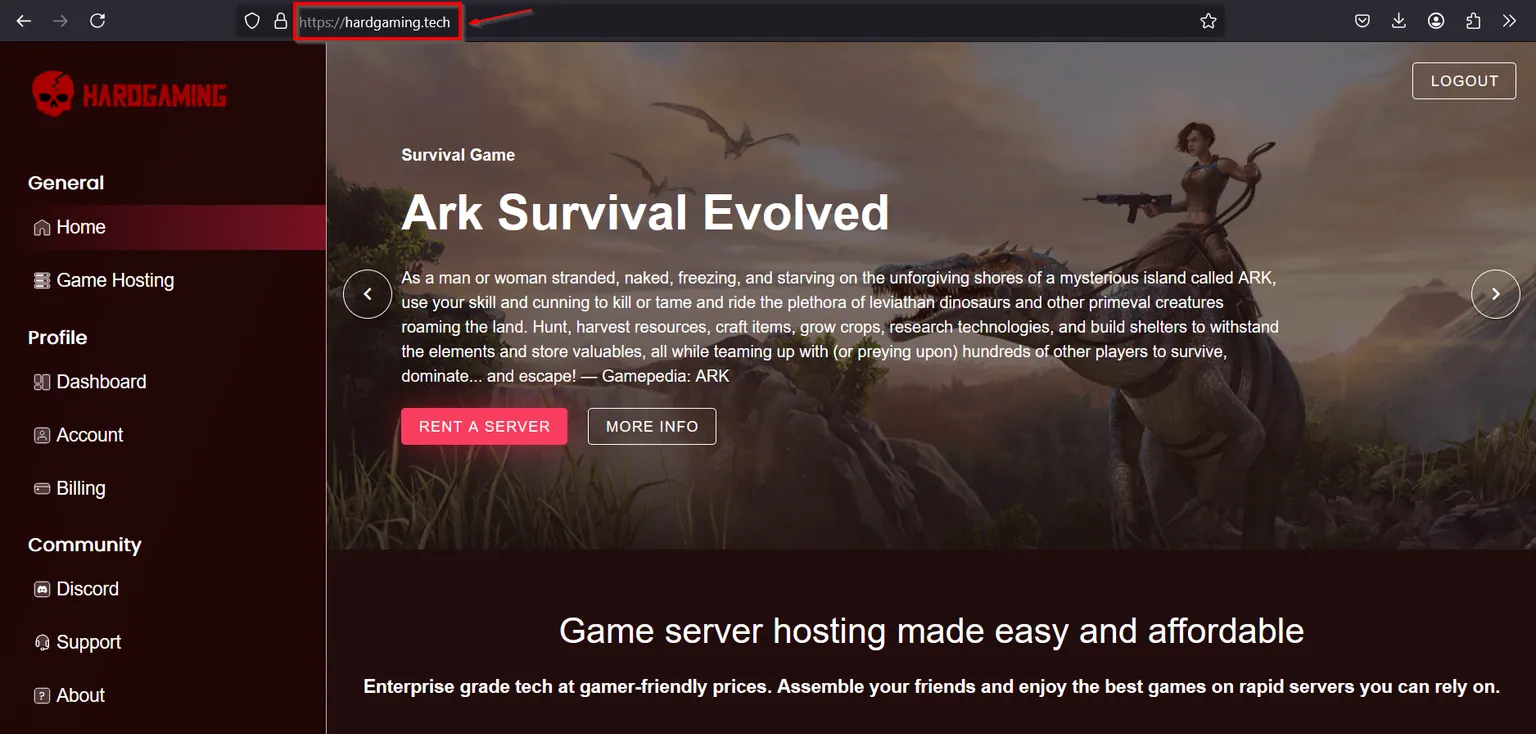
Go to hardgaming.tech and sign in. If you would rather skip the browsing, go straight to ARK Survival Evolved server hosting and continue from Step 4.
Step 2: Select Game Hosting
In the sidebar on the left, click Game Hosting.
Step 3: Select the ARK Survival Evolved Tile
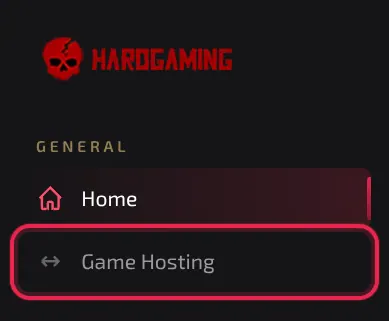
The grid lists every game HardGaming hosts. Click the ARK Survival Evolved tile.
Step 4: Choose a Plan
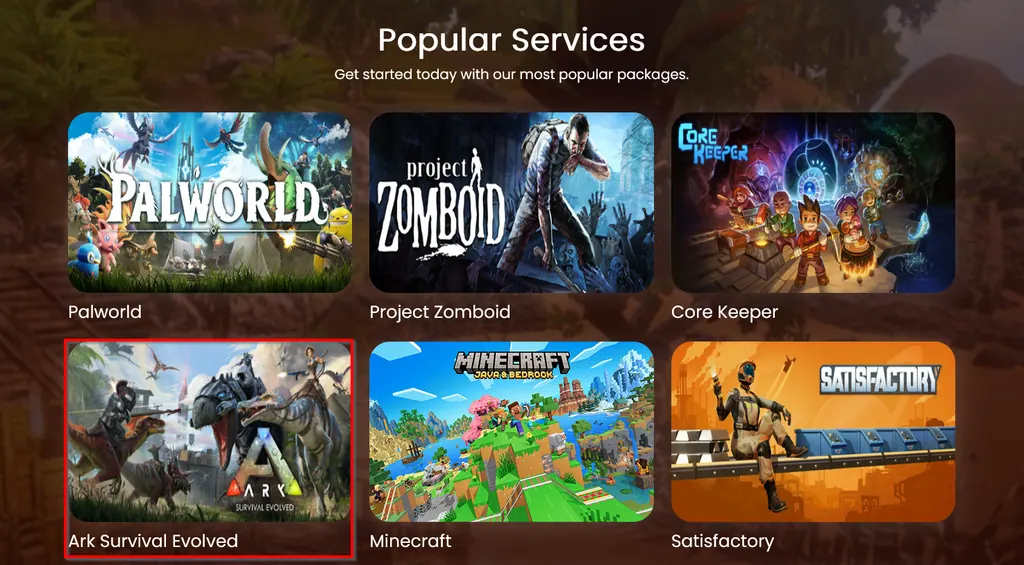
Checkout runs across four tabs: Plans, Custom Plan, Configuration and Payment. HardGaming offers three ARK Survival Evolved plans: Starter for solo play, Premium for a team, and Custom, where you set your own CPU, memory and storage. Pick the one you want and continue.
Step 5: Name Your Server
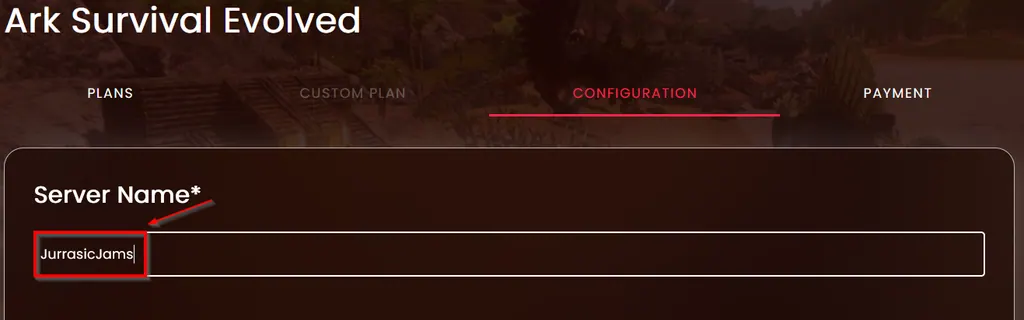
On the Configuration tab, type a name into Server Name. It is marked with an asterisk because it is required, and it is the name your server shows in your HardGaming dashboard.
Step 6: Set Your Passwords and Map
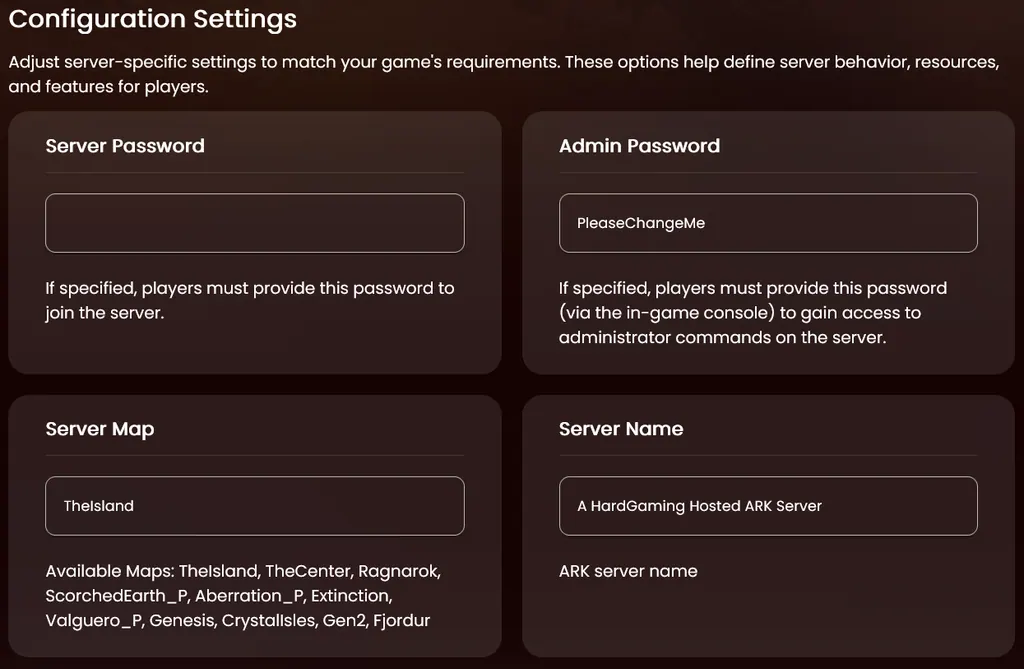
Below your server name, Configuration Settings holds nine more fields, and the full list is in ARK Survival Evolved Server Settings below.
Server Password is the password players need to join, and leaving it empty lets anyone with your address in. Server Map decides which ARK map your world generates on, and it defaults to TheIsland. See Which Maps Can an ARK Survival Evolved Server Use? for the full list.
Admin Password unlocks admin commands from the in-game console, and it ships set to PleaseChangeMe. Change it before anyone else joins your server. The Server Name field here is different from the one in Step 5: this one is the name ARK shows in its own in-game server list.
Step 7: Set Your Server Options
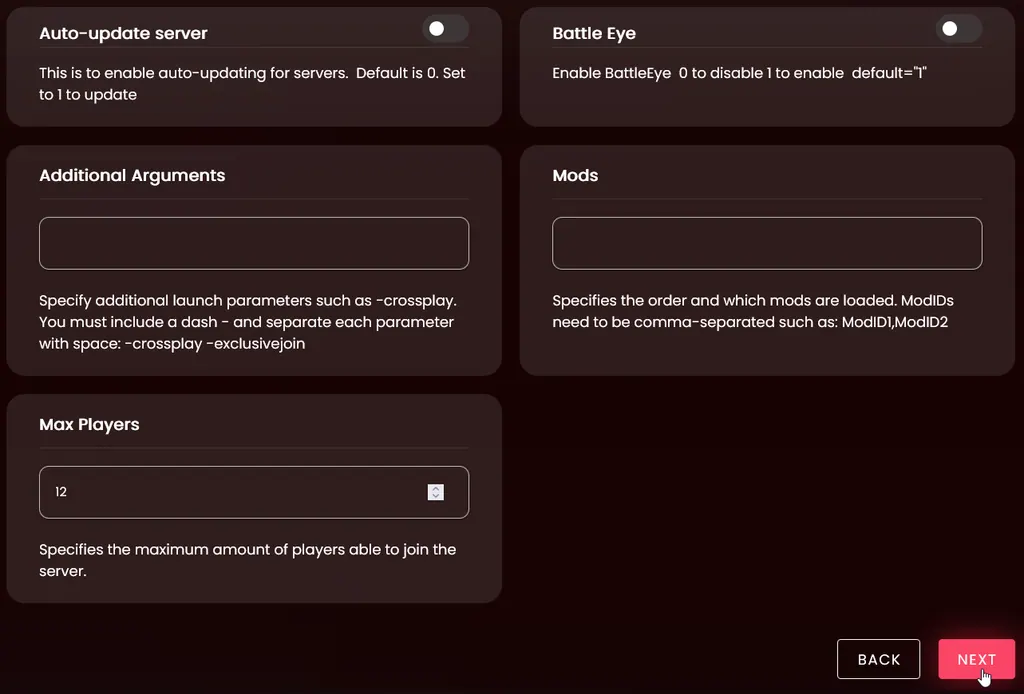
Four more fields round out configuration. Auto-update server updates your server automatically on restart, and it ships off. Battle Eye turns BattlEye anti-cheat on or off.
Additional Arguments takes extra launch flags, each one dash-led and space-separated, such as -crossplay -exclusivejoin to let Xbox and Epic Games Store players reach a Steam-hosted world. Mods takes the mod IDs you want to load, comma-separated and in the order you want them applied.
Max Players caps how many people can join at once, and it ships set to 12. When everything looks right, click Next. You can change every one of these settings later.
Step 8: Enter Your Payment Details
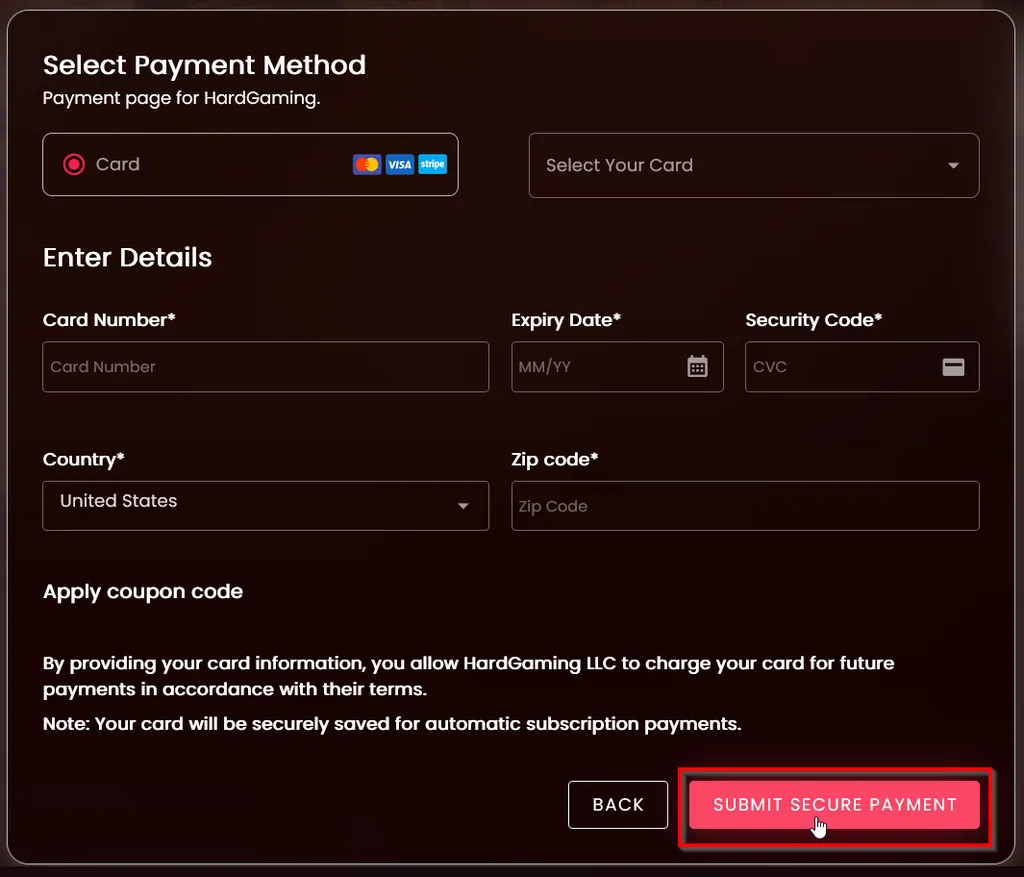
On the Payment tab, leave Select Your Card on its default, or pick a card you have used before. Fill in Card Number, Expiry Date, Security Code, Country and Zip code, then click Submit Secure Payment.
Warning: Your card is saved and charged every month until you cancel the server from your Billing page.
Step 9: Confirm Your Server Is Running
Payment takes you straight to your new server's page. STATUS on the right reads offline while ARK installs, then changes to running once the server is up.
CONNECT ADDRESS holds the address your friends need. Share that instead of typing out the server's IP by hand.
Which Maps Can an ARK Survival Evolved Server Use?
Server Map in Step 6 accepts any of these values: TheIsland, TheCenter, Ragnarok, ScorchedEarth_P, Aberration_P, Extinction, Valguero_P, Genesis, CrystalIsles, Gen2 and Fjordur.
TheIsland is the default. It is also the base game's original map, so it is the safest pick if you are not sure which to choose.
Set the value that matches the map you want before you finish Step 6.
ARK Survival Evolved Server Settings
Every field in Configuration Settings, with the value it ships with.
| Setting | What it does | Default |
|---|---|---|
| Server Password | The password players must give to join the server | empty |
| Admin Password | The password needed to unlock admin commands from the in-game console | PleaseChangeMe |
| Server Map | The map your world generates on. See Which Maps Can an ARK Survival Evolved Server Use? | TheIsland |
| Server Name | The name ARK shows for your server in its own in-game server list | A HardGaming Hosted ARK Server |
| Auto-update server | Updates the server automatically on restart. Set to 1 to turn on | off |
| Battle Eye | Turns BattlEye anti-cheat on (1) or off (0) | off |
| Additional Arguments | Extra launch flags, dash-led and space-separated, such as -crossplay -exclusivejoin | empty |
| Mods | The mod IDs to load, comma-separated and in load order | empty |
| Max Players | The most players who can join at once | 12 |
Note: The Server Name in this table is the in-game server list name. It is separate from the Server Name you set in Step 5, which only labels the server in your dashboard.
Applying a Coupon Code
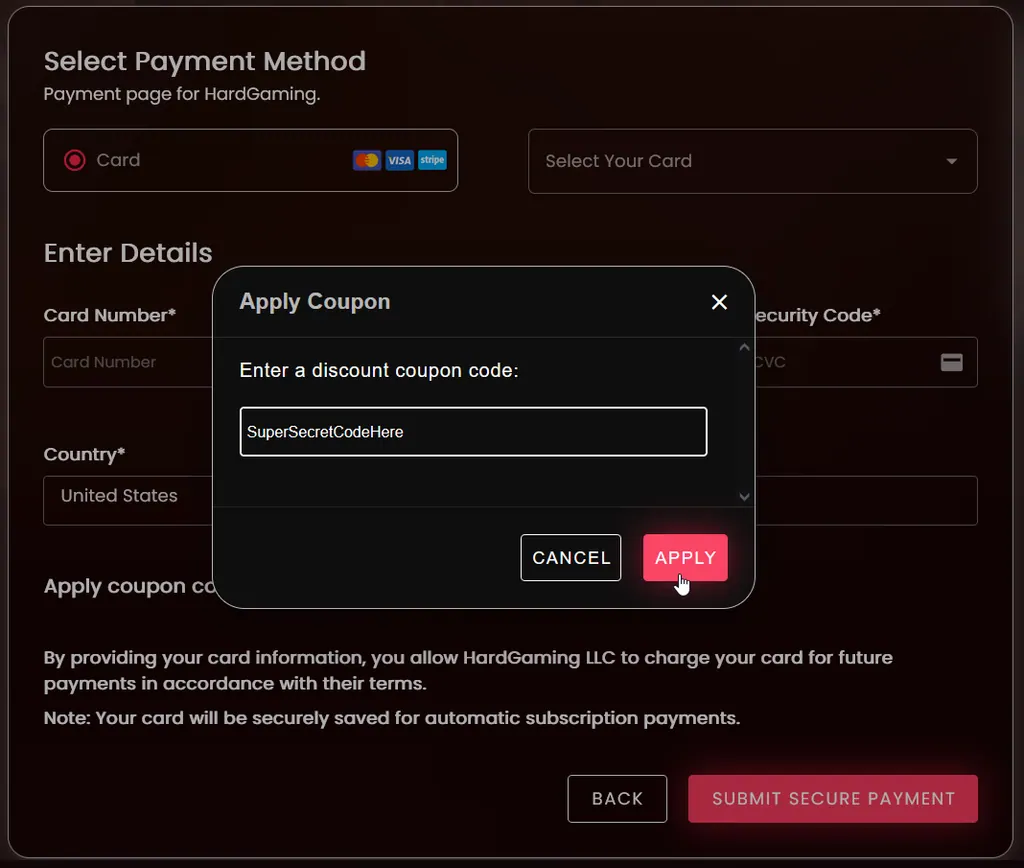
If you have a coupon, apply it before you pay. On the Payment tab, click Apply coupon code, type your code, and click Apply.
Troubleshooting
Configuration will not move forward?
- Server Name at the top of the Configuration tab is required and marked with an asterisk. Fill it in and try again.
Server still shows offline after paying?
- It is still installing. Check STATUS again after a few minutes.
- Give it time before you assume something is wrong. A fresh install takes longer than a restart.
Friends cannot join?
- Check STATUS reads
runningfirst. A server that is still installing refuses connections. - Share the address from CONNECT ADDRESS.
- If you set a Server Password, they need it too.
Admin commands not working in game?
- Confirm you are typing the value from Admin Password into the in-game console, not your account password.
- Its default is
PleaseChangeMe. Use your own value instead if you already changed it.
Xbox friend cannot join?
- Add
-crossplayto Additional Arguments, then restart the server. Add-exclusivejoinalongside it if you want to keep out players outside your crossplay group.
Best Practices
- Change Admin Password away from
PleaseChangeMebefore anyone else joins. - Set a Server Password unless you want the world open to anyone with your address.
- Keep Mods comma-separated with no spaces, so every mod loads in the order you set.
- Keep at least one DeepSave backup before a big change to your map or mods.
Next Steps
Your server now appears on your HardGaming dashboard, where you can restart it, edit settings, or pull a backup at any time.
- Protect your world with DeepSave
- Browse all ARK Survival Evolved guides
- Guides for every game we host
- ARK Survival Evolved server hosting
Need Help?
If you run into any issues, the HardGaming support team is here for you:
- Live Chat: use the chat widget on hardgaming.tech
- Discord: join our community for quick help
- Email: support@hardgaming.tech
Happy gaming! 🎮