Core Keeper: How to Connect to Your Server
Table of Contents
Ready to jump into your Core Keeper server? There are two ways to connect. You can add your server through Steam directly, or use the in-game server browser. Both methods are covered below.
Method 1 - In-Game Server Browser
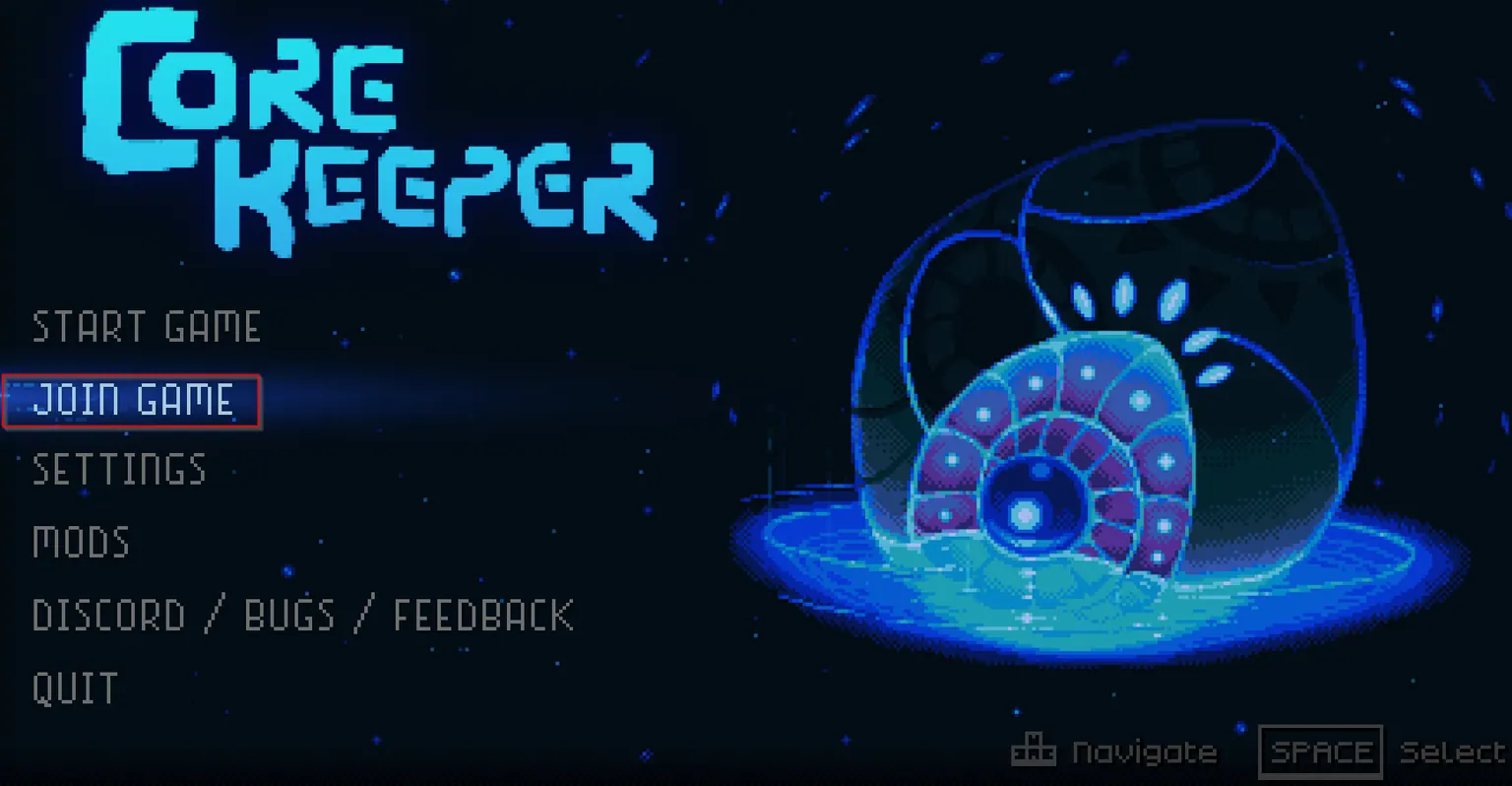
Step 1 - Join Game
From main menu, click Join Game.
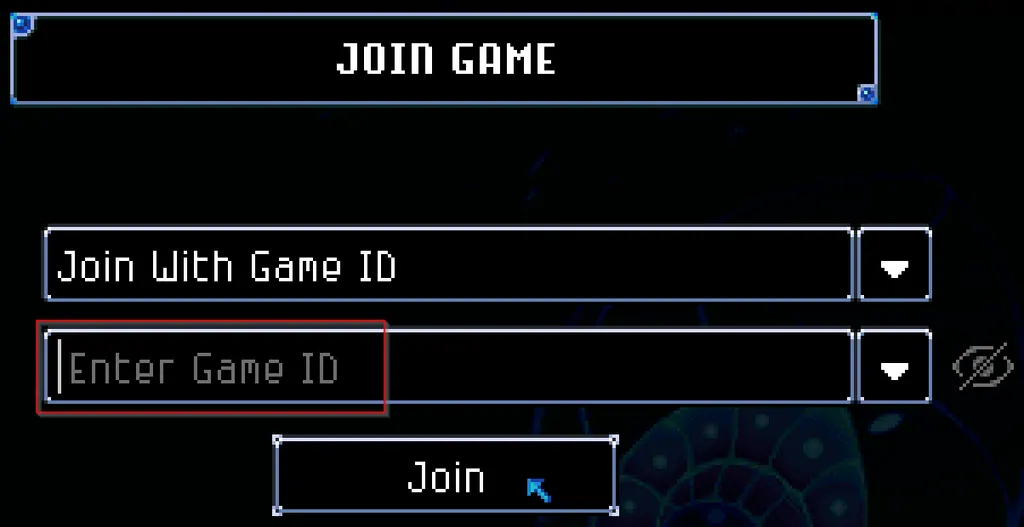
Step 2 - Connect with Game ID
- Enter Game ID.
- Click Join.
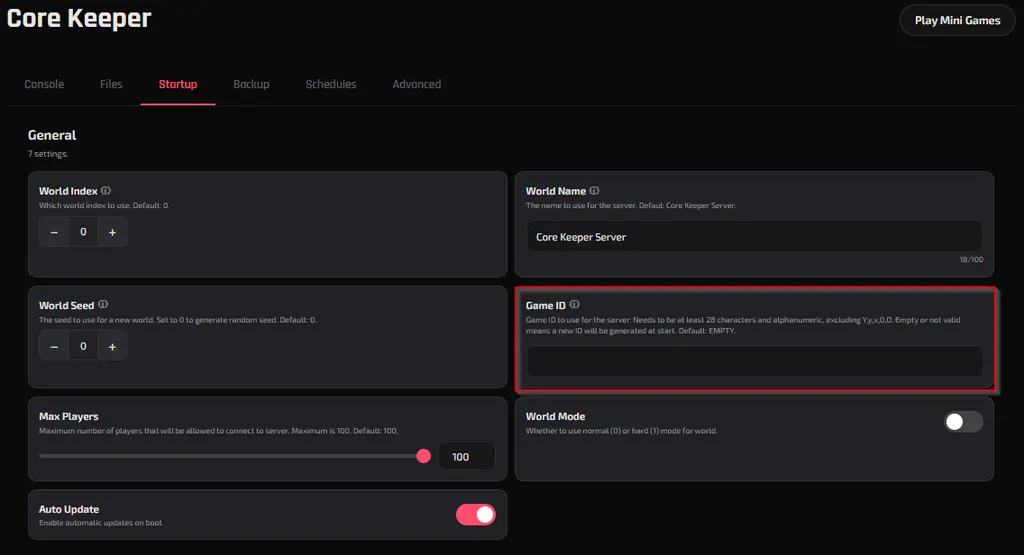
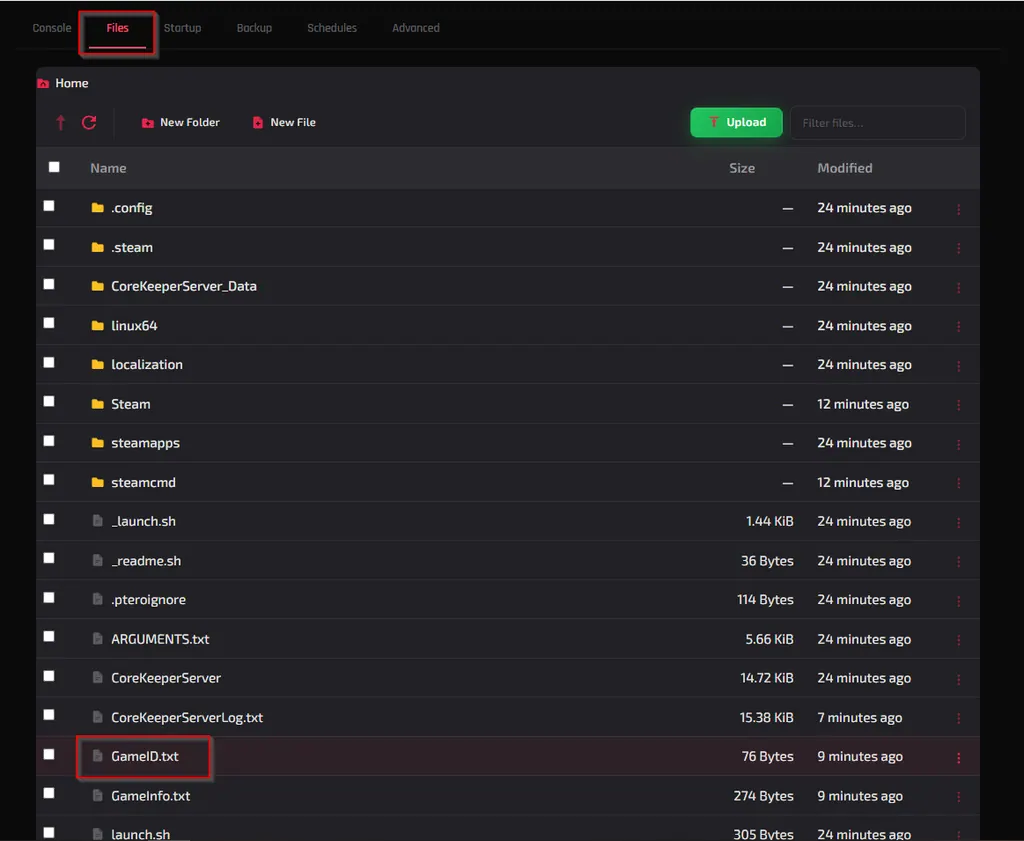
Your Game ID can be found in two places:
In the Startup window there is a field for Game ID. If you created one then that is the Game ID you will enter. (Note: This field defaults to empty unless changed by the user)
OR
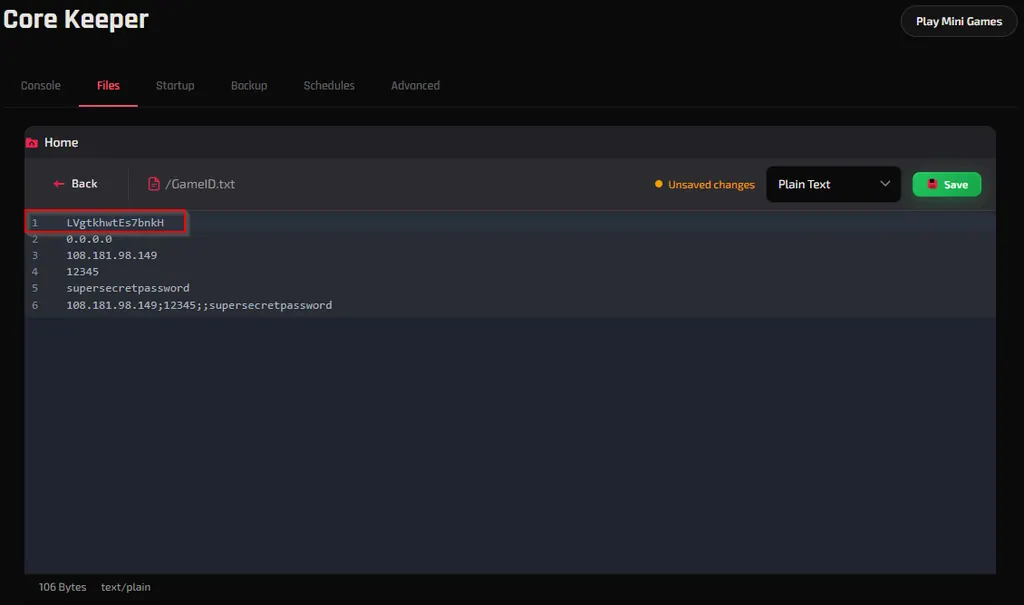
Go to the Files window and click GameID.txt and line 1 will be your generated Game ID.
Step 3 - Connect Using IP Address
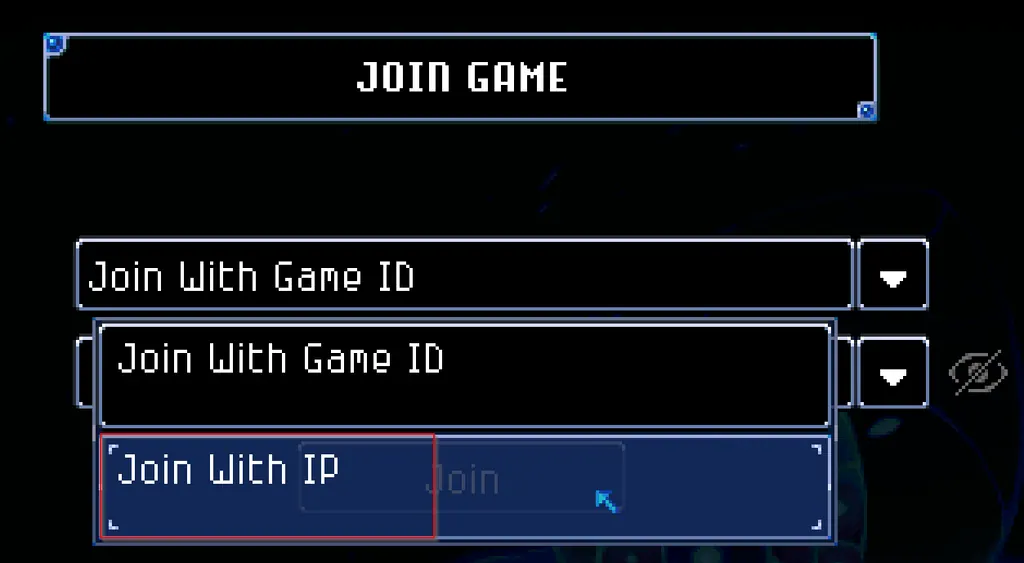
- Click the drop down arrow next to Join with Game ID and click Join With IP.
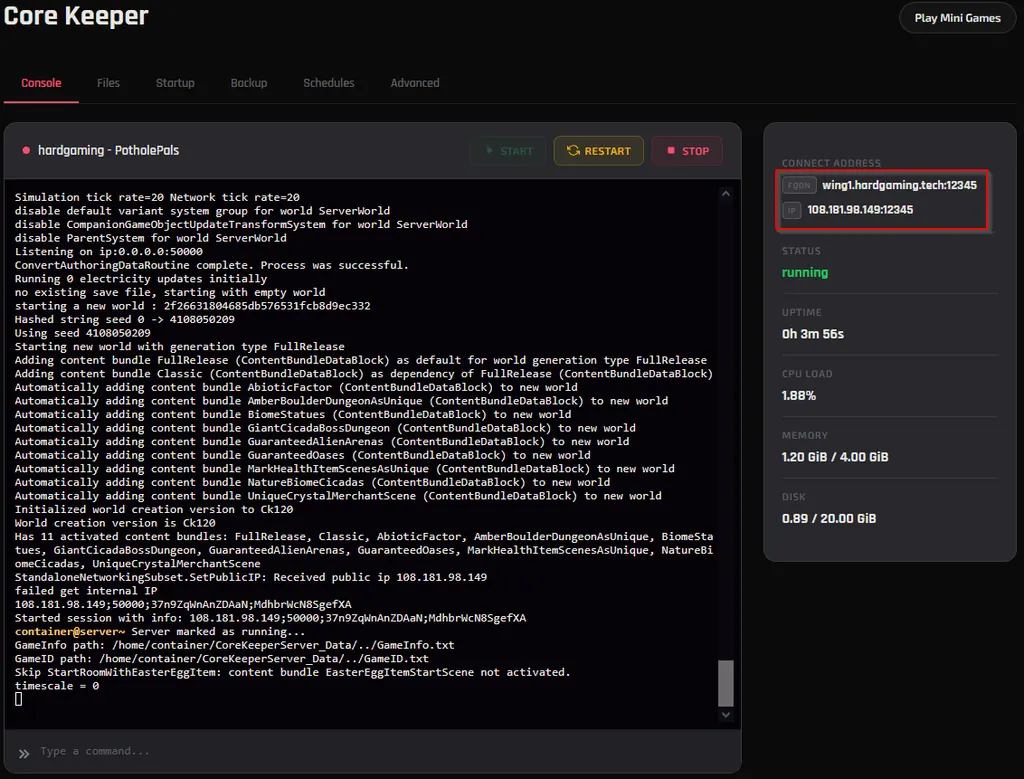
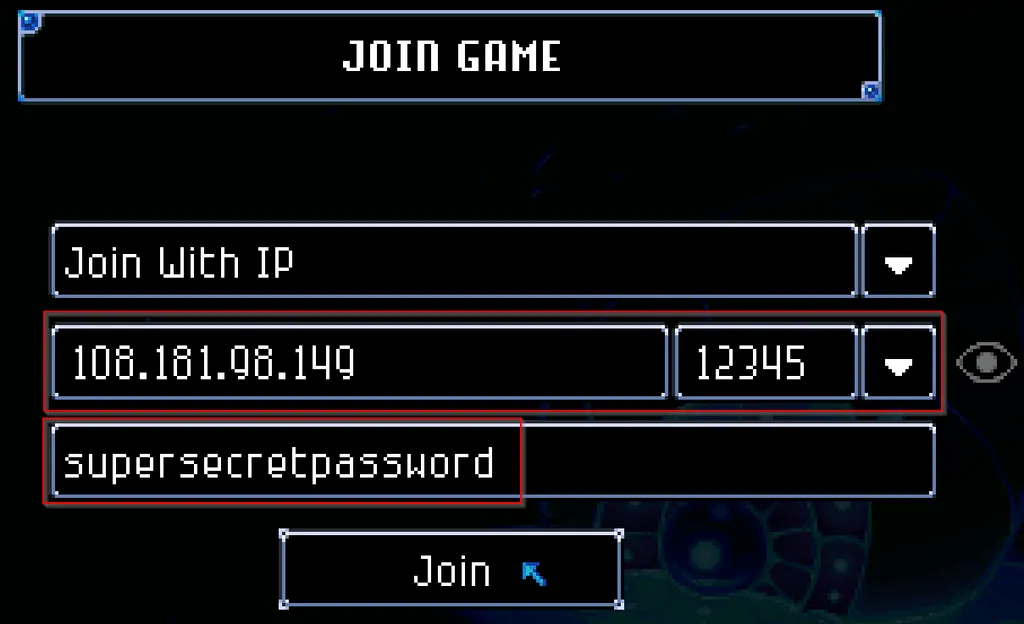
- Fill out the form with the IP and port found in your HardGaming control panel.
- Click Join.
Troubleshooting
Server not showing up in the browser?
- Make sure your server is online by checking the Console tab in your HardGaming dashboard.
- Try connecting directly using the IP address method instead.
- Double-check that you're searching for the exact server name as it appears in your control panel.
Connection timed out?
- Verify the IP address and port are correct in your HardGaming control panel.
- If your server was just started, give it a minute or two to fully load before trying again.
Need Help?
If you run into any issues, the HardGaming support team is here for you:
- Live Chat - Use the integrated chat feature on our website
- Discord - Join our community for quick help
- Email - Reach out to our support team directly
Happy gaming! 🎮