Abiotic Factor: How to Enable DLC Content
Table of Contents
DLC content on an Abiotic Factor server is unlocked by a player who owns it, not by the server itself. One owner is enough for the whole group, and they have to be an admin when they join. Nobody else on the server needs to buy anything.
Before You Start
- One player who owns the DLC. Any of the paid add-ons work this way, including the Supporter's Pack, Temple of Stone and Entropic Break.
- That player's SteamID64. You will add it to
Admin.ini, so you need the 17 digit number rather than their display name. - A running server you can restart. Applying an admin change stops and restarts the server.
- Steam players only. Admin rights are granted by SteamID64, so the DLC owner has to be playing on PC through Steam. A PlayStation or Xbox player cannot be made an admin this way.
Don't have an admin set up yet? Follow our guide: Abiotic Factor: How to Manage Admins and Bans
Step 1: Add the DLC Owner as an Admin
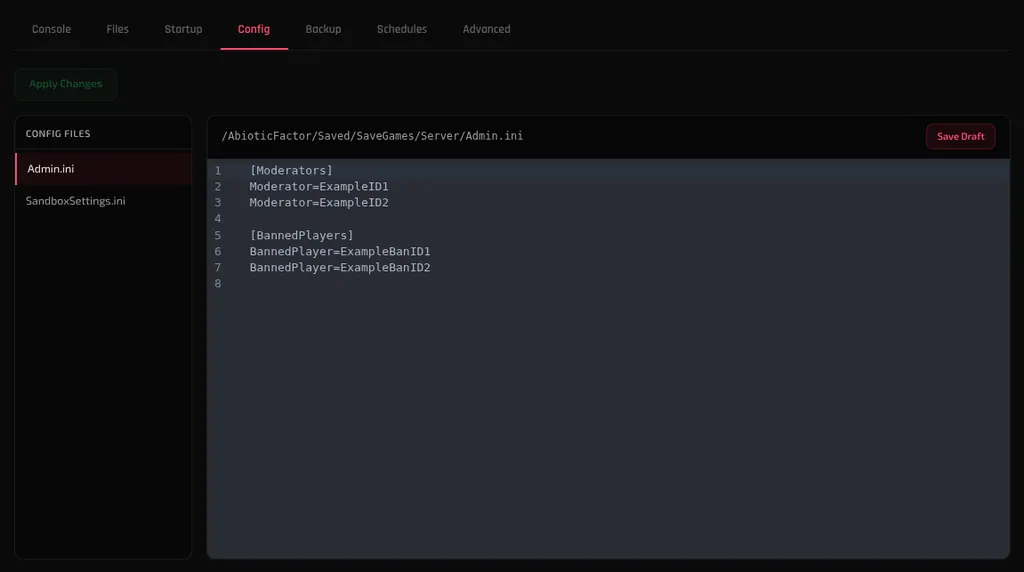
Open your server from the dashboard, go to the Config tab and click Admin.ini. Add the DLC owner's SteamID64 as a Moderator= line, then click Save Draft and Apply Changes.
If the owner is you and you are already an admin, skip to Step 2.
Step 2: Have the Owner Join the Server
Once the server is back up, have the DLC owner connect. Our connection guide covers both ways in.
The content unlocks for the server as they join. Everyone already in the world sees it too, and nobody else has to own the DLC.
Does the DLC Owner Have to Stay Online?
No. Once the DLC has been enabled on the server, the content remains available after they disconnect.
- It applies to everyone. Players who do not own the DLC get the same content while they are on your server.
- It does not follow them home. The unlock belongs to this server. Players who do not own the DLC will not have it in their own single player worlds or on other servers.
Troubleshooting
DLC content still missing after they joined?
- Confirm the admin change was applied rather than only saved. A draft sitting on the Config tab does nothing until you click Apply Changes and then Stop & Apply.
- Check the SteamID64 in
Admin.inimatches the account that owns the DLC. Owning it on a second Steam account will not help. - Have them leave and rejoin once the server has fully restarted.
Not sure whether they are actually an admin?
- Re-open Admin.ini on the Config tab and check their ID is on its own
Moderator=line under[Moderators], with no stray spaces.
Next Steps
- Manage admins and bans on your server
- Connect to your Abiotic Factor server
- Protect your world with DeepSave
- Abiotic Factor server hosting
Need Help?
If you run into any issues, the HardGaming support team is here for you:
- Live Chat: use the chat widget on hardgaming.tech
- Discord: join our community for quick help
- Email: support@hardgaming.tech
Happy gaming! 🎮